
GPUi Shell

Overview
A desktop shell for Wayland compositors, written in Rust on top of GPUI, the GPU-accelerated UI framework the Zed editor is built with. One binary replaces the usual pile of tools a tiling setup needs: status bar, launcher, notification center, control center and logout menu.

- Bar: workspaces, focused window, system tray, clock, keyboard layout, battery, media, system stats
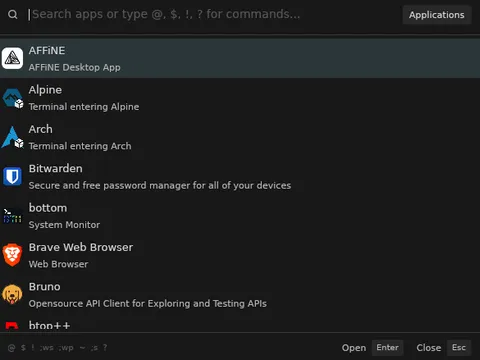
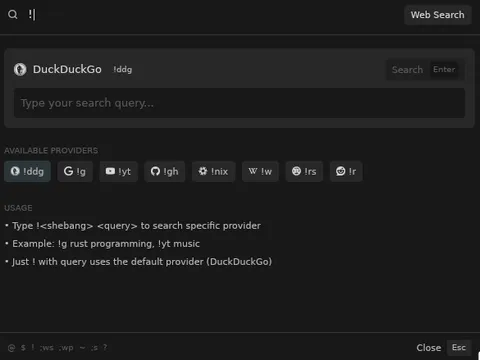
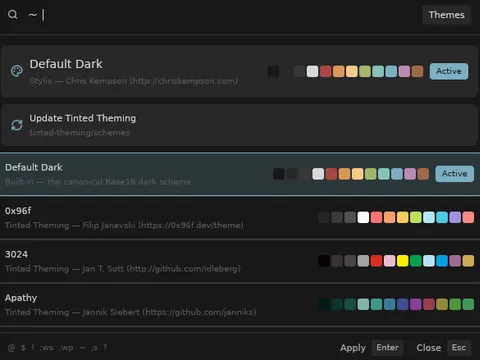
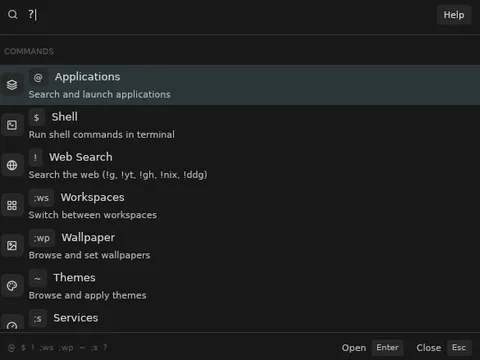
- Launcher: apps, shell commands, workspaces, theme, wallpaper, web search
- Control center: audio, brightness, Wi-Fi, Bluetooth, power, media, notifications with do-not-disturb
- OSD: volume and brightness on key press
The launcher is one input box with prefixes for each mode: @ for apps, ! for web search with a bang per provider, ~ for themes, ? for the list of commands.

Honesty note
The project started as an experiment to see how far current AI models could take a Rust codebase I was learning in, and it went much further than I expected. A good part of the code was AI-generated, and I am still cleaning up rough edges.
Try it
nix run github:andre-brandao/gpui-shellDocumentation at andre-brandao.github.io/gpui-shell. Source on GitHub.
Thanks to elwqnn, the first person to contribute to a project of mine, and to everyone on the contributors page.